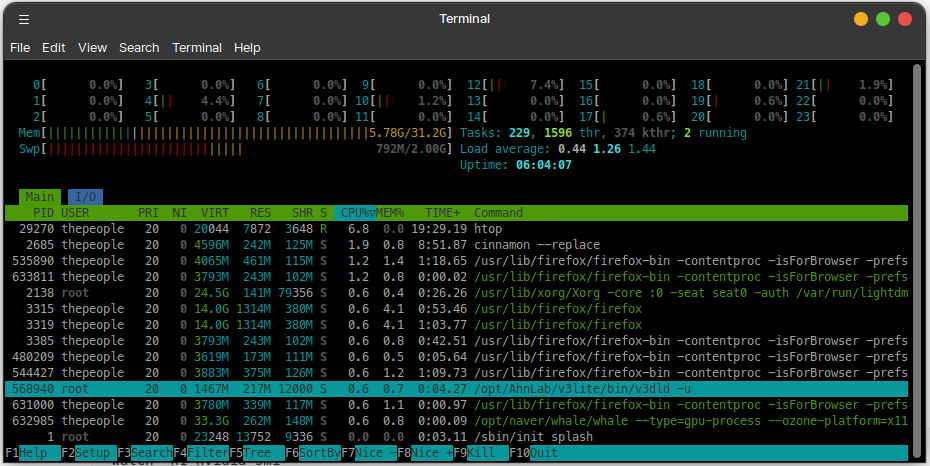
for cpu and tasks
htop -> real time processing display
htopit will return:
for gpu
radeonstat (for AMD)
gpustat (for Nvidia) or nvidia-smi
you can use this tip to make the result screen cleaner
watch -> watch the result of command
-n -> interval
example:
watch -n1 nvidia-smitranslation: watch "nvidia-smi" every 1 seconds. *you can put 2 for 2 seconds, 0.1 for 0.1 seconds.
it will return:

something similar to this and it will stay. Use this instead of loop, as loop will leave the logs in the terminal and your memory is limited.
'Study' 카테고리의 다른 글
| How to install LM Studio on Linux (1) | 2026.01.24 |
|---|---|
| Removing and Installing Nvidia Drivers on Linux (0) | 2026.01.24 |
| Maslow's Hierarchy of Needs & ERG Theory (0) | 2026.01.14 |
| How to register your custom email domain (0) | 2026.01.06 |
| How to connect Linux from Windows (Remote Desktop through XRDP) (0) | 2025.12.06 |