Download LM studio
Open terminal where the downloaded AppImage file located
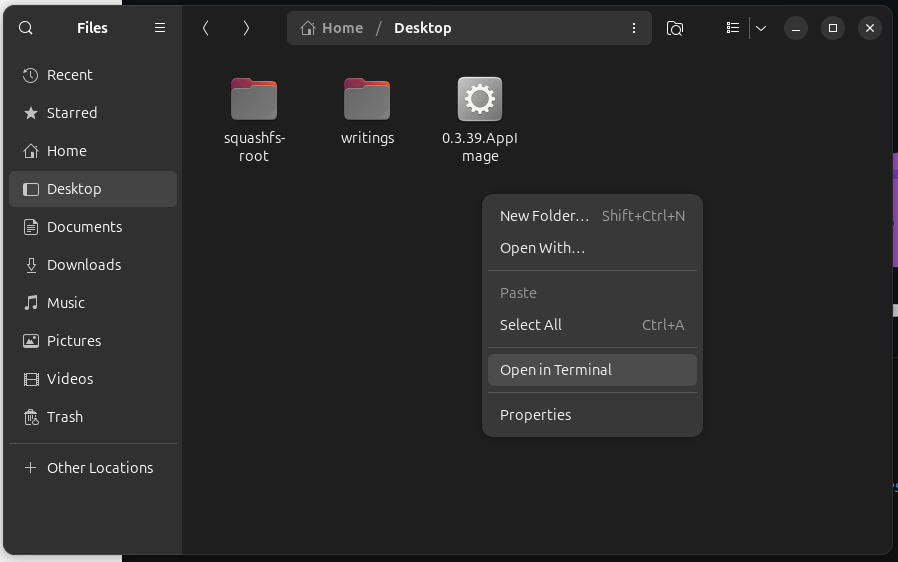
Make the .AppImage executable
chmod +x 0.3.39.AppImageAbout chmod: change mode
*chmod syntax
chmod [options] [mode] [File_name]
example
chmod +x 0.3.39.AppImage
Here's more about chmod command
https://www.geeksforgeeks.org/linux-unix/chmod-command-linux/
chmod Command in Linux with Examples - GeeksforGeeks
Your All-in-One Learning Portal: GeeksforGeeks is a comprehensive educational platform that empowers learners across domains-spanning computer science and programming, school education, upskilling, commerce, software tools, competitive exams, and more.
http://www.geeksforgeeks.org
GeeksforGeeks | 404
Your All-in-One Learning Portal. It contains well written, well thought and well explained computer science and programming articles, quizzes and practice/competitive programming/company interview Questions.
www.geeksforgeeks.org
Extract the AppImage
./0.3.39.AppImage --appimage-extractthis will create a folder (directory), named squashfs-root.
move your terminal directory to the folder where extracted files are.
cd squashfs-root*or you can open another terminal in GUI
Change Ownership of chrome-sandbox
sudo chown root:root chrome-sandboxchown: change owner
The command above is to changing the owner to "root" user, "super user", so that the chrome-sandbox can be freely used for running LM Studio
sudo chmod 4755 chrome-sandboxThis command will change chrome-sandbox to read/write/execute
How to run LM studio
1. for GUI

2. through terminal

'Study' 카테고리의 다른 글
| Removing and Installing Nvidia Drivers on Linux (0) | 2026.01.24 |
|---|---|
| Maslow's Hierarchy of Needs & ERG Theory (0) | 2026.01.14 |
| How to register your custom email domain (0) | 2026.01.06 |
| How to connect Linux from Windows (Remote Desktop through XRDP) (0) | 2025.12.06 |
| Linux commands to see something similar to Windows Task Manager (0) | 2025.11.22 |